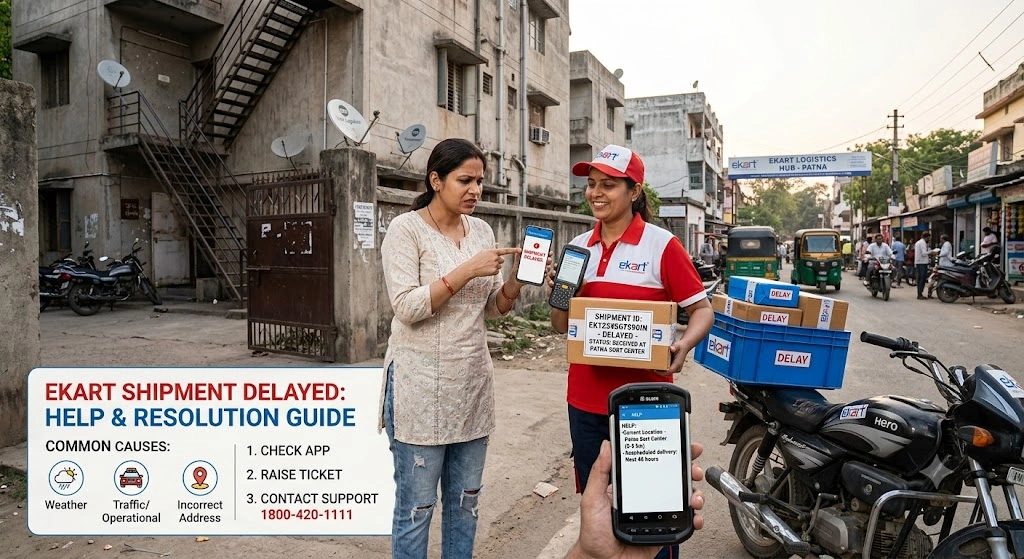
While Ekart Logistics handles millions of e-commerce orders efficiently every day, delivery delays can occasionally happen. Whether your package status hasn’t updated in days or has missed its Estimated Delivery Date (EDD), experiencing a shipment delay can be frustrating.
In this troubleshooting guide, we explain the most common reasons behind shipment delays and provide a clear step-by-step action plan to help you locate your package or request a refund.
Common Reasons Why Ekart Deliveries Get Delayed
Understanding why a package is delayed can help you determine the right steps to take:
- Seasonal High Order Volume: During major sales events (such as Flipkart’s Big Billion Days or festive sales), sorting centers process millions of additional packages, leading to minor hub bottlenecks.
- Incorrect or Incomplete Address: Missing door numbers, incorrect pincodes, or lack of nearby landmark details can prevent delivery drivers from finding your location.
- Severe Weather & Transport Disruptions: Heavy rainfall, flooding, landslides, or highway blockages can slow down long-distance transit trucks moving between major state hubs.
- Failed Delivery Attempts: If you were unavailable, your phone was switched off, or the OTP was not verified during arrival, the agent will return the parcel to the local hub for a re-attempt.
Step-by-Step Action Plan for Delayed Packages
If your estimated delivery date has passed or your parcel status has been stuck on In Transit for more than 3 days, follow these steps:
Step 1: Re-Check Your Live Tracking Status
Before raising a support ticket, check your 14-character Tracking ID (AWB number) on our Ekart Tracking Home Portal.
Look at the latest scan location:
- Stuck at a Sorting Hub: The package is likely waiting in line for regional truck loading.
- Out for Delivery: The parcel is with a local delivery agent; expect arrival by the end of the day.
Step 2: Verify Your Contact & Address Details
Log into your Flipkart or Myntra account and review your saved delivery address for the delayed order:
- Ensure your Pincode matches your exact locality.
- Confirm that your Mobile Number is active and reachable via calls and SMS.
Step 3: Contact Customer Support via E-Commerce App
Since Ekart Logistics functions as the primary logistics arm for Flipkart and Myntra, customer escalations are handled directly through the shopping app:
On Flipkart App:
- Go to Account -> My Orders.
- Select your delayed item.
- Scroll down and tap Need Help? or Contact Support.
- Choose Delivery Related Issue and select Request a Call Back. A support representative usually calls back within 5–10 minutes.
On Myntra App:
- Open Profile -> Orders.
- Tap the delayed product and select Help Center.
- Select Where is my order? and request phone or chat assistance.
What to Do If Status Says “Delivered” But You Haven’t Received It
In rare cases, a shipment status may update to Delivered even if you haven’t received the package. Here is how to handle this situation:
- Check with Household Members or Neighbors: Verify if a family member, neighbor, or security guard accepted the delivery on your behalf.
- Check for Delivery OTP: Ekart delivery agents require a numeric OTP sent to your registered mobile phone to complete deliveries. If you did not share an OTP, report this immediately to customer support.
- Raise a Fraud/Fake Delivery Escalation: Contact Flipkart or Myntra customer support immediately via the app to report an unreceived delivery. E-commerce platforms typically investigate and resolve OTP/delivery discrepancies within 24 to 48 hours.
What Happens If a Package Is Marked Untraceable or Lost?
If Ekart Logistics determines that a package cannot be located after an internal hub search, the e-commerce platform will update the order status to Lost in Transit.
When this happens:
- Prepaid Orders: A full refund is automatically credited back to your original payment method (Bank Account, UPI, or Credit/Debit Card) within 3 to 7 business days.
- Pay on Delivery (COD) Orders: The order is automatically canceled, and you can place a new order for the item on the platform.
Frequently Asked Questions (FAQs)
1. Can I collect my delayed parcel directly from a local Ekart hub?
Direct public walk-ins at fulfillment hubs are generally not allowed due to security protocols. However, if a local delivery executive contacts you, you can arrange to meet them at a mutually agreed location nearby.
2. How many delivery attempts does Ekart make?
Ekart Logistics usually attempts package delivery up to 3 consecutive times on working days before marking the shipment for Return to Origin (RTO).
3. How long should I wait before requesting a refund for a delayed package?
If your tracking status shows no movement for 5 or more consecutive days past your original Estimated Delivery Date, request an official investigation or cancellation through Flipkart/Myntra customer care.