Ekart Tracking – Track Your Ekart Shipment Status Online
Track your Ekart shipment online using your tracking ID or AWB number. Check parcel status, transit updates, delivery progress, and tracking details.
Track your Ekart Logistics, Flipkart, Myntra, and merchant shipments online using your Ekart Tracking ID, AWB number, or shipment number. Enter your tracking number Above to check the latest available shipment status, transit history, facility scans, and delivery progress.
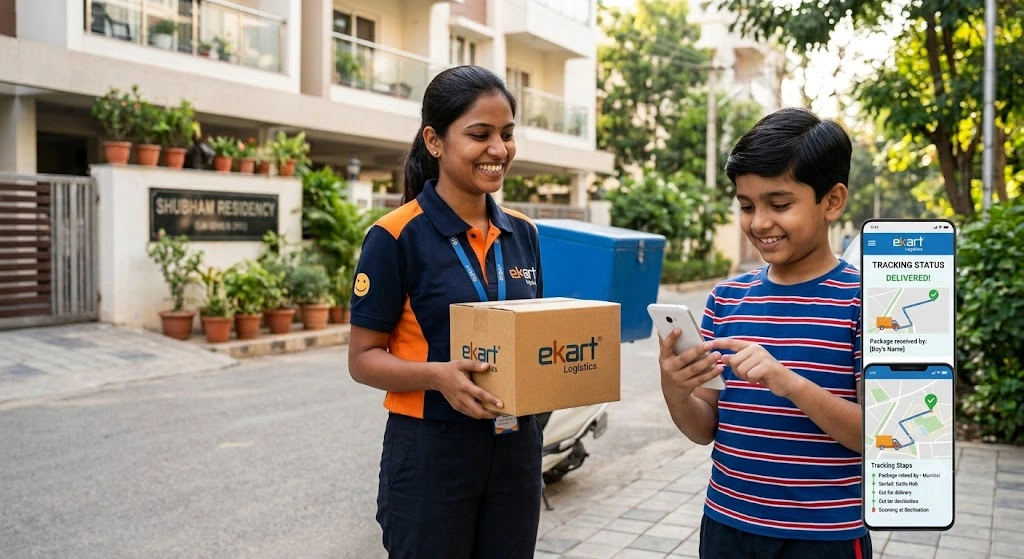
This Ekart tracking tool is designed to make it easier to follow your parcel from dispatch through final delivery.
How to Check Your Shipment Using an Ekart Tracking ID
Checking an Ekart parcel is straightforward. You do not need to create an account on this website just to enter a tracking number and view available shipment information.
1. Locate Your Tracking Number
Find the Ekart tracking ID provided when your order was dispatched. It may be shown in your order details, shipping notification, SMS, email, or on the parcel label.
2. Enter the Number
Type or paste the tracking ID, AWB number, or shipment reference into the tracking box at the top of this page.
3. Select Track
Click Track to check the available shipment information and follow the latest recorded movement of your parcel.
If the shipment was created recently, the first tracking event may not appear immediately. In that situation, check again later using the same tracking number.
Where to Find Your Ekart Tracking Number
The Ekart tracking number is the shipment reference used to identify your parcel during transportation.
You may find it in several places:
- Online order details
- Dispatch confirmation
- SMS notification
- Email from the seller or marketplace
- Shipping label on the parcel
- Courier or seller-provided shipping information
The number used for courier tracking may be different from your online shopping order ID.
Common Ekart Tracking ID Formats
Ekart shipment references can contain both letters and numbers, and the format can vary according to the shipment and booking channel.
Some tracking references may contain prefixes such as:
FMPCFMPPFMPEFMPRFKPC- Other shipment-specific prefixes
Examples of alphanumeric references may look like:
FMPC2927978921
FMPP1720702906
SRTP0259077161
Do not assume that every Ekart shipment must use exactly the same format. The safest approach is to copy the tracking number exactly as it appears in your order or shipping notification.
Where to Find the Number on Popular Shopping Platforms
Flipkart: Open your orders, select the relevant purchase, and open its delivery or tracking information. If a separate shipment number is displayed, use that number for courier tracking.
Myntra: Open your orders, select the relevant shipment, and check the available delivery or tracking details.
SMS and Email: Dispatch notifications may contain the shipment reference assigned to your parcel.
Shipping Label: If you have the physical parcel, look around the barcode or shipping label for the shipment or AWB reference.
What Every Ekart Tracking Status Means
Courier tracking systems use different status messages to describe the progress of a shipment. The wording can vary between shipments, but the following explanations will help you understand the most common stages.
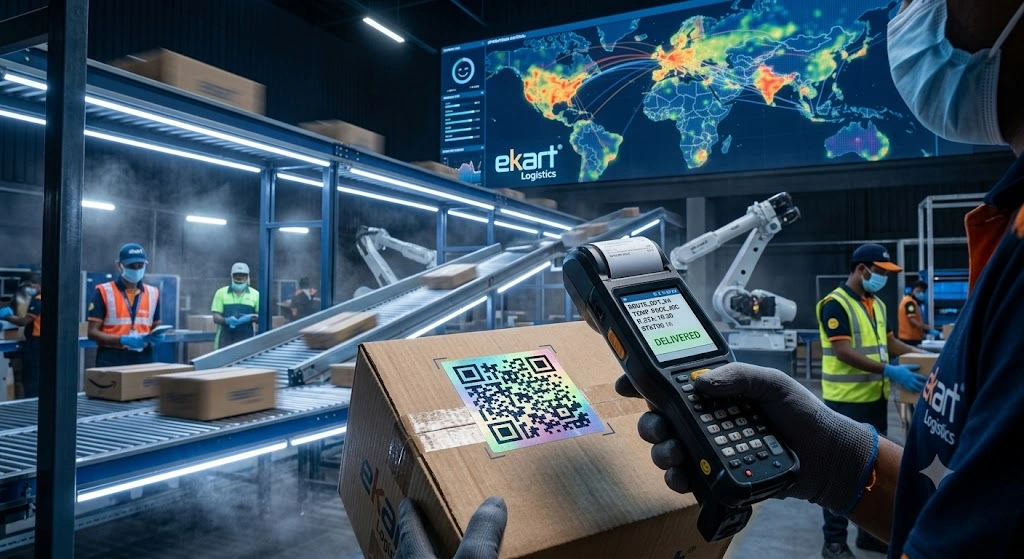
| Tracking Status | Supply Chain Stage | What It Usually Means |
|---|---|---|
| Shipment Created / Info Received | Shipment Preparation | Shipping information has been generated and the parcel may be waiting for pickup or processing. |
| Picked Up from Seller | Origin Collection | The parcel has been collected from the seller or dispatch location. |
| Received at Sort Center | Processing | The shipment has reached a facility where it can be scanned, sorted, or routed. |
| Dispatched / In Transit | Linehaul Transit | The parcel has left a facility and is moving toward another processing location. |
| Received at Local Hub | Destination Processing | The shipment has reached a facility serving the destination area and may be preparing for final delivery. |
| Out for Delivery | Last-Mile Delivery | The shipment has entered the final delivery stage. |
| Delivery Attempted | Delivery Exception | A delivery attempt was recorded but the shipment was not successfully delivered. |
| Delivered | Completed | The shipment has been recorded as delivered. |
| Delayed | Service Exception | Delivery or movement is taking longer than expected. |
| RTO / Return to Origin | Reverse Logistics | The shipment is being returned toward the sender. |
Not every shipment will display every status. Some tracking events may also remain unchanged for a period while the parcel is moving between facilities.
What Does MUMFLEXSAI4 Mean in Ekart Tracking?
If you search mumflexsai4 because it appears in your tracking history, you may be looking at an internal facility or routing reference.
Ekart tracking records can display internal facility names and codes that are primarily intended for logistics processing. A code shown in a tracking event should not automatically be interpreted as a public customer pickup location or an exact geographic address.
The same applies to other internal-looking references such as:
MUMFLEXSAI4BLR_HUBDEL_HUBGGNG_HUBHYD_HUBMAA_HUB
If your tracking information says that the parcel was received at a facility such as MUMFLEXSAI4, it generally indicates that the shipment has been recorded at a processing location. The next event may show onward dispatch, another facility scan, or movement toward the destination area.
Why Do Hub Codes Appear?
Large logistics networks use facility and routing identifiers to process shipments efficiently.
A facility code can therefore be useful for understanding the latest recorded processing point, but it does not necessarily tell you that the parcel is ready for collection.
Ekart Tracking by AWB, Order ID, or Mobile Number
Customers commonly search for:
- Ekart tracking by order ID
- Ekart tracking by mobile number
- Ekart tracking ID
- Ekart order tracking
These references are not interchangeable.
AWB / Tracking ID
        ↓
Shipment identification and tracking

Order ID
        ↓
Purchase identification on the marketplace

Mobile Number
        ↓
Customer/account identification
Tracking by AWB or Tracking ID
The AWB or shipment tracking ID is normally the most direct reference when you want to check courier movement.
Enter the tracking number into the tracking box above to view the available shipment information.
Tracking by Order ID
An order ID is generally created by the marketplace or seller to identify your purchase.
If you only have an order ID:
- Open the website or app where you purchased the item.
- Go to your orders.
- Select the relevant purchase.
- Open the delivery or shipment details.
- Find the Ekart tracking number associated with that shipment.
- Enter the tracking number into the tracking tool.
This is particularly useful for Ekart order tracking when the marketplace order number and courier shipment number are different.
Tracking by Mobile Number
Searching for a parcel using a mobile number alone is different from searching with a shipment ID.
For privacy and security, do not assume that a public tracking page can reveal shipment details simply from a phone number.
If you only have your registered mobile number, open the marketplace account associated with the order and retrieve the shipment tracking number from your order details.
How Ekart Delivery Progress Changes From Pickup to Final Delivery
A parcel normally passes through several stages before reaching the recipient.
A simplified journey looks like this:
Seller → Pickup → Processing Facility → Transit → Destination Facility → Local Delivery → Delivered
The exact route can vary.
A shipment may travel through more than one sorting or processing facility, particularly when the origin and destination are in different parts of India.
For this reason, seeing several hub or facility scans does not necessarily mean that your parcel has been delayed. Those scans can simply represent normal movement through the logistics network.
Why Your Ekart Tracking Status Has Not Updated
A tracking page does not necessarily receive a new visible scan every time a parcel physically changes location.
You may see the same status for some time when:
- The parcel is travelling between facilities.
- The next scan has not been recorded yet.
- The shipment is waiting for processing.
- A transport connection is delayed.
- Weather or operational conditions affect movement.
- Tracking information has not yet been updated.
What should you do?
First, check the date and time of the latest tracking event.
If the shipment has recent movement, a temporary gap is usually less concerning.
If the status remains unchanged for an unusually long period, especially after the expected delivery date, check your marketplace order page and contact the appropriate seller or support channel.
What Does “Out for Delivery” Mean?
Out for Delivery usually means that the shipment has entered the final delivery stage.
It is one of the most important updates customers look for because the parcel is no longer simply travelling between major facilities.
However, an out-for-delivery status does not guarantee a specific delivery hour.
Actual delivery timing can depend on:
- Local delivery routes
- Number of shipments assigned
- Address accessibility
- Recipient availability
- Local operating conditions
Keep your phone available and make sure someone authorised can receive the parcel when possible.
How Many Times Does Ekart Attempt Delivery?
There is no reason to assume that every Ekart shipment follows exactly the same number of delivery attempts.
The number of attempts can depend on:
- The shipment
- Seller or marketplace instructions
- Reason for the unsuccessful attempt
- Address information
- Recipient availability
- Local delivery conditions
If you miss a delivery, check the next tracking update or order instructions.
If repeated attempts are unsuccessful, the shipment may eventually move toward RTO (Return to Origin) depending on the applicable shipment process.
Does Ekart Deliver at Night?
There is no single delivery time that applies to every Ekart shipment across India.
Delivery timing can vary according to the destination, route, shipment type, local operations, and daily delivery workload.
During periods of unusually high order volume, delivery schedules may also differ from normal expectations.
If your parcel is showing Out for Delivery, use the tracking status as an indication that delivery is in progress rather than assuming that it will arrive at a specific hour.
Can You Collect a Parcel From an Ekart Hub?
If your tracking page shows that your parcel has reached a hub, do not assume that you can simply visit that location and collect it.
A sorting facility, mother hub, or processing centre may be a restricted logistics location rather than a customer-facing collection point.
Before visiting an Ekart facility
Confirm first that:
- Customer pickup is available for your shipment.
- The facility has authorised the collection.
- You have received appropriate instructions.
- The location is actually intended for customer collection.
If no pickup instruction has been provided, waiting for normal delivery or contacting the seller/marketplace is usually the safer option.
What to Do If Your Ekart Parcel Is Not Delivered
The correct action depends on the latest tracking status.
If the parcel is still in transit
Check whether the shipment has received a recent scan. If it is still moving, allow the logistics process to continue unless the expected delivery date has already passed significantly.
If it shows Out for Delivery
Keep your phone available and make sure someone can receive the package.
If delivery was attempted
Check the reason shown in your tracking or order information and follow any available delivery instructions.
If it says Delivered but you received nothing
Before reporting the parcel as missing, check:
- Family members
- Neighbours
- Building security
- Reception desk
- Office staff
- Other authorised recipients
If the shipment still cannot be found, report the issue through the seller or marketplace from which you purchased the item.
Keep your Ekart tracking ID and order ID ready when contacting support.
What Does RTO Mean in Ekart Tracking?
RTO stands for Return to Origin.
When a shipment enters RTO, it is being returned toward the original sender instead of continuing to the recipient.
Possible reasons can include:
- Repeated unsuccessful delivery
- Incorrect or incomplete address
- Recipient refusal
- Shipment cancellation
- Delivery restrictions
- Seller or marketplace instructions
The exact reason should be checked against the shipment or order information rather than assumed from the RTO status alone.
If you still need the product, contact the seller or marketplace to understand whether a replacement, refund, or new order is possible.
What Is the 3-Digit PIN Mentioned in Some Ekart Searches?
Some customers search for the Ekart 3-digit PIN because a delivery-related calling or verification feature may display a short code in a particular marketplace interface.
It should not be treated as a universal Ekart tracking requirement for every shipment.
If a PIN or verification code appears inside your legitimate order or delivery interface, follow the instructions shown there.
Never share:
- UPI PIN
- ATM PIN
- Banking password
- Card PIN
- Full card details
- Unrequested OTPs
with someone who contacts you claiming to be an Ekart delivery agent.
Troubleshooting Common Ekart Tracking Problems
Tracking Has Not Updated for a Long Time
Long-distance shipments can have gaps between visible tracking events.
A parcel travelling between major facilities may not receive another public scan until it reaches its next processing point.
What to do: Check the latest scan date, expected delivery date, and marketplace order information. If the shipment remains unchanged well beyond the expected delivery period, contact the seller or marketplace.
The Tracking Number Does Not Work
Check the following:
- Is every character correct?
- Are you using the shipment ID rather than the order ID?
- Was the shipment dispatched recently?
- Is Ekart actually the courier handling the parcel?
- Did the seller provide a different tracking reference?
Copy the number directly from the original order or shipping notification whenever possible.
The Parcel Says Delivered but Is Missing
Check with people who may have accepted the package on your behalf.
If it remains missing, report the issue through the original marketplace or seller and provide the tracking information.
The Tracking Shows an Unexpected Facility
A facility code does not necessarily mean that the parcel is going in the wrong direction.
Large logistics networks can route shipments through regional processing centres before moving them toward the final destination.
Look at the sequence of tracking events, not only one facility name.
Ekart Logistics Tracking vs Delhivery
Customers sometimes search for Ekart Logistics tracking alongside Delhivery because they want to know which courier will deliver their parcel faster.
There is no universal winner.
Delivery speed depends on the individual shipment’s:
- Origin
- Destination
- Route
- Shipment type
- Processing location
- Transportation availability
- Local delivery network
- Operational conditions
Therefore, comparing a courier’s general reputation does not reliably predict the delivery date of one specific parcel.
Your own shipment’s latest tracking event and expected delivery information are more useful.
Ekart Logistics Track: What Information Should You Check?
When using an Ekart logistics track service, focus on the most recent meaningful event rather than refreshing the page repeatedly.
The most useful details are:
- Latest tracking status
- Latest scan location
- Date and time of the event
- Whether the parcel is in transit
- Whether it has reached the destination area
- Whether it is out for delivery
- Whether a delivery attempt failed
- Expected delivery information when available
These details give you a much better picture of the shipment’s progress than the tracking number alone.
Ekart Customer Care: How to Get Help Safely
If you need assistance with a shipment, use the official support channel associated with your order or logistics service.
For marketplace purchases, the marketplace or seller may be the correct place to report:
- Missing parcels
- Refund problems
- Replacement requests
- Incorrect deliveries
- Product complaints
- Order cancellations
Be careful when searching for an Ekart customer care number online. Unofficial websites can publish outdated or incorrect telephone numbers.
Do not treat a phone number as official simply because it appears in a search result.
Protect yourself from courier scams
A person claiming to be a courier representative should not need your UPI PIN or banking password to deliver a normal parcel.
Be suspicious of requests to:
- Pay an unexpected release fee
- Transfer money to a personal UPI account
- Install an unknown application
- Share your banking credentials
- Share your UPI PIN
- Provide an OTP unrelated to the legitimate order process
When in doubt, return to the original marketplace order and use its verified support option.
Frequently Asked Questions About Ekart Tracking
How can I track my Ekart parcel?
Enter your Ekart tracking ID into the tracking box above and check the latest available shipment status and tracking events.
Can I track Ekart by mobile number?
A mobile number is not a substitute for a courier tracking ID. If you do not have the tracking number, open your marketplace account and retrieve the shipment details associated with your order.
Can I track an Ekart order using an order ID?
Your order ID and Ekart shipment ID can be different. Open the relevant order and locate the courier tracking number before using the tracking tool.
How can I track an Ekart delivery from Flipkart?
Open your Flipkart order, select the relevant shipment, and view its delivery or tracking information. If an Ekart tracking number is provided, use that shipment reference to check the courier status.
What does “In Transit” mean?
It generally means that the parcel is moving through the logistics network and has not yet reached the final delivery stage.
What does “Received at Local Hub” mean?
It generally indicates that the parcel has reached a facility serving the destination area. It does not automatically mean that customer pickup is available.
What does MUMFLEXSAI4 mean?
MUMFLEXSAI4 appears to be an internal facility or routing reference used in some tracking information. Internal codes should not automatically be treated as public pickup locations or exact addresses.
Why is my Ekart tracking not updating?
Tracking scans can have gaps while a shipment is between facilities or waiting for the next processing event. If the status remains unchanged for an unusually long period, check the expected delivery date and contact the appropriate support channel.
Does Ekart deliver at night?
Delivery timing varies by shipment and location. An exact delivery hour cannot be guaranteed simply from the courier name.
How many delivery attempts does Ekart make?
There is no universal attempt count that should be assumed for every shipment. Check the tracking information after an unsuccessful delivery attempt for the next available action.
Can I collect my Ekart parcel from a hub?
Do not assume that a processing hub is open for customer collection. Confirm that pickup has been specifically authorised for your shipment before visiting a facility.
What does RTO mean?
RTO means Return to Origin. It indicates that the shipment is being returned toward the sender instead of continuing to the recipient.
Is Ekart Logistics part of Flipkart?
Ekart is closely associated with Flipkart’s logistics and supply-chain operations and has also expanded its logistics services to external businesses and brands.
Which is faster, Ekart or Delhivery?
Neither courier is universally faster. Actual delivery speed depends on the origin, destination, route, shipment type, and operational conditions affecting the individual parcel.
About EkartTracking.in
EkartTracking.in is an independent online tracking tool created to help users check shipment information quickly and conveniently. You can use the website to track Ekart shipments with a tracking ID, AWB number, or available shipment reference and understand the latest status of your parcel.
Our goal is to make courier tracking simple, clear, and easy to understand. We provide helpful explanations of common tracking statuses, delivery updates, transit events, and shipment-related issues.
EkartTracking.in is not affiliated with or endorsed by Ekart Logistics, Flipkart, Myntra, or Walmart. For account-specific support, orders, returns, or official services, users should contact the relevant merchant or logistics provider directly.